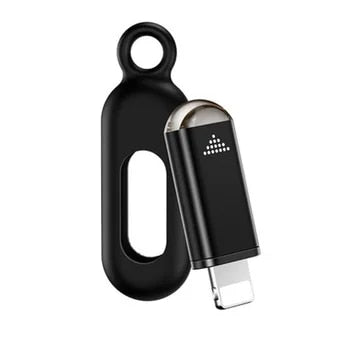
Universal Smartphone IR Remote Adapter 📱📺
Transform your compatible smartphone into a convenient universal remote control with the EKX4S infrared adapter. Designed for iOS and Android devices, this compact mobile phone remote-control accessory supports Type-C, Lightning, and MicroUSB interfaces for broad compatibility.
Key Features
• Controls infrared-enabled air conditioners, televisions, set-top boxes, cameras, and other compatible household appliances.
• Covers more than 90% of infrared home appliances currently available on the market; compatibility may vary by brand and device.
• Android users can use the DIY learning function when a device is not included in the available database. DIY learning is not currently supported on Apple devices.
• Typical operating distance: approximately 8–15 metres, depending on the receiving sensitivity of the appliance.
• For reliable operation, point the adapter toward the appliance and keep the infrared path unobstructed.
Technical Specifications
• Model: EKX4S
• Compatible interfaces: Type-C, Lightning, MicroUSB
• Supported platforms: iOS and Android
• Infrared wavelength: 940 nm
• Transmission frequency: 38 kHz / 56 kHz
• Product weight with packaging: approximately 19 g
• Packaged dimensions: approximately 8.5 × 5.5 × 2.5 cm
App Installation
• iOS: Search for and download Uni TV Remote from the Apple App Store.
• Android: Search for and download Zaza Remote from Google Play.
Compatibility Information
• iPhone compatibility: iPhone 5 and newer models, with support for iOS 15 as specified.
• Android compatibility: Android smartphones must support OTG; most current Android phones include OTG functionality.
• This adapter does not control Bluetooth, 2.4 GHz, or other non-infrared appliances.
Troubleshooting
• If an Apple device recognises the adapter but it cannot be configured or the indicator does not flash, disable Mono Audio in Settings > General > Accessibility.
• For OPPO or vivo Android phones, enable OTG in Settings > Other Settings.
• On other Android phones, open the remote-control application and navigate to My > Settings > Infrared Driver Settings, then select USB.
Note: Actual compatibility and range depend on the appliance, brand, receiver sensitivity, smartphone model, operating system, and environmental conditions.